
What Is a GaN Charger and Does It Work With Android?
Understand what GaN changes inside a charger, how USB PD and PPS affect Android compatibility, and how to compare shared-port power before buying.
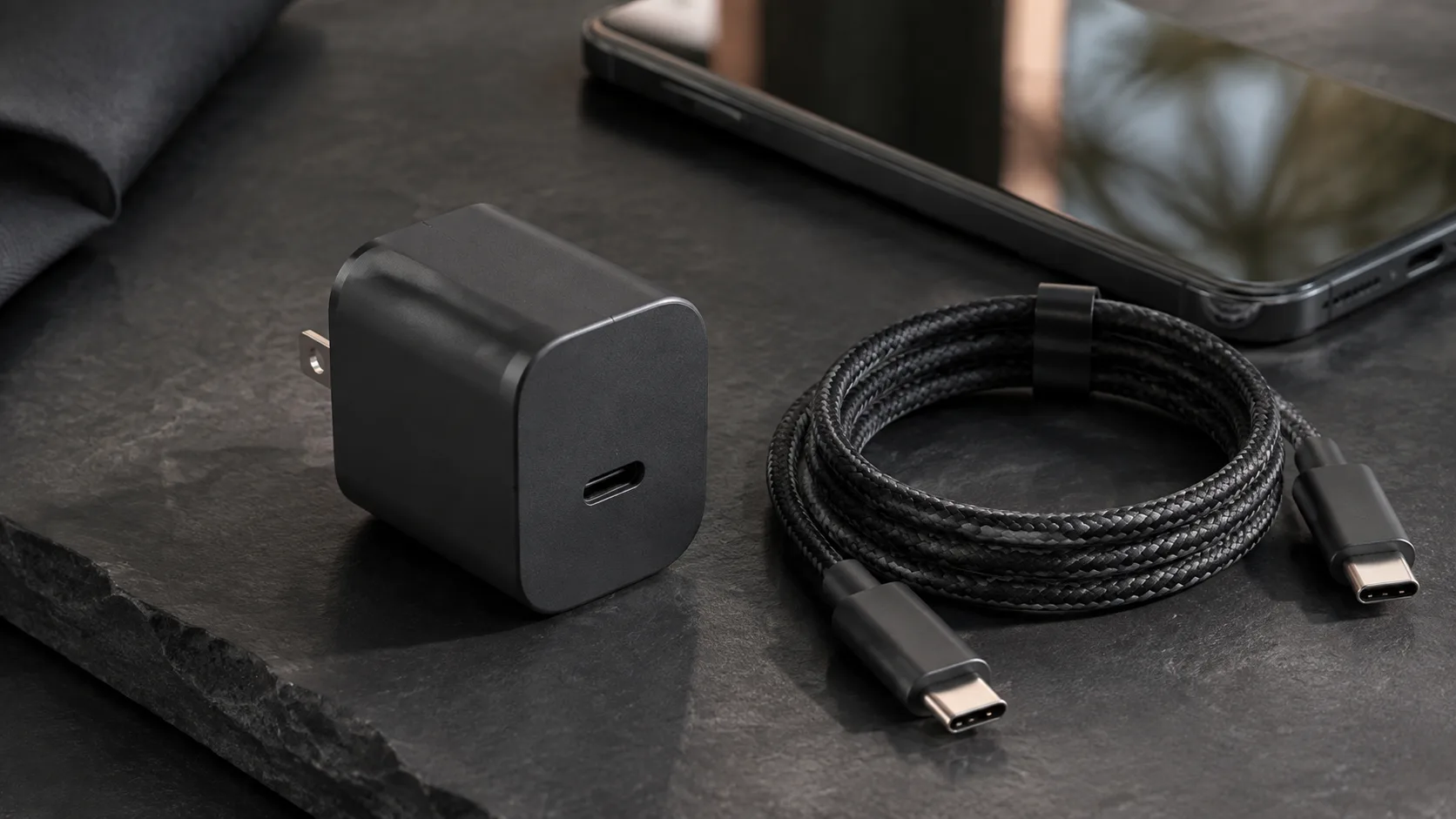
AI-generated editorial scene, not a product test photograph. Device details are illustrative.
A GaN charger uses gallium nitride power semiconductors in its conversion circuitry. It can charge an Android phone when its output protocols and cable meet the phone’s requirements. GaN can help a designer build a compact, efficient adapter, but the label alone does not establish charging speed, PPS support, or performance when several ports are occupied.
If you already own a reliable charger, start with the problem you want a replacement to solve. Perhaps you need less bulk in a bag, a second charging port, or a mode your current adapter lacks. Those are useful reasons to compare products. “GaN” by itself does not answer which one fits your phone.
This guide is based on manufacturer and standards documentation checked September 5, 2026. Diagrams are original explanations, and product specifications are attributed to their manufacturers. We have not measured or tested the featured equipment.
What GaN changes inside an adapter
Gallium nitride is a semiconductor material. Texas Instruments explains that its GaN power technology supports faster switching and reduced losses, which can help achieve greater power density. Power density means delivering a given amount of power from a smaller volume, or more power from a comparable volume.
Infineon’s GaN charger explanation describes using GaN devices in the circuitry that converts mains AC into DC. The relevant innovation is inside the power supply. It does not change your phone’s operating system or add a new socket to it.
For a buyer, the meaningful result is the finished product’s dimensions, weight, supported outputs, and performance. Do not transfer a semiconductor supplier’s laboratory advantage directly into a claim that every retail GaN charger is a particular percentage smaller or cooler. A charger includes other components and a housing, and the designer makes choices about all of them.
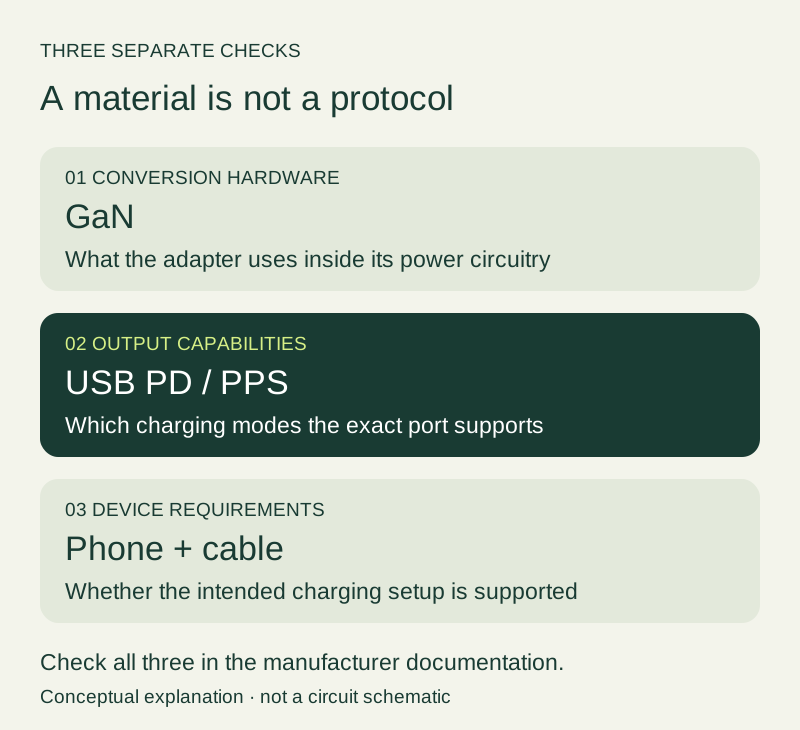
Figure 1. GaN describes conversion hardware; PD and PPS describe charging capabilities. This is a conceptual diagram, not a circuit schematic.
That separation also helps explain why comparing only a badge is frustrating. A small adapter can still lack the output mode you want. A larger adapter can still be the better fit for a desk with several devices.
Does an Android phone need special GaN support?
Look for the charging protocols named by the phone manufacturer, rather than a “GaN compatible” entry. USB Power Delivery and PPS concern the interface between the charger and device; GaN concerns the adapter’s internal implementation.
USB-IF’s Power Delivery presentation describes the source offering capabilities and the receiving device requesting an option. A high maximum output is available capacity, not an instruction for the phone to consume that amount.
Our USB PD versus PPS guide explains the terminology. When checking a particular adapter, look for an explicit PPS specification if the phone maker requires it for the intended charging mode. Do not infer PPS solely from “USB-C,” “fast charging,” or “GaN.”
Make a two-column note: what the phone requires, and what the adapter documentation actually states. Leave an unconfirmed entry blank and ask the maker if it is important to the purchase. This is more reliable than trying to infer capability from a photograph of the adapter.
Read the specifications in a useful order
Read the product page with a particular setup in mind. If you need to charge a phone and laptop together, the single-port maximum is only part of the answer.
| Specification | What to record | What it helps you decide |
|---|---|---|
| Exact product model | Model number and regional plug version | Whether the manual matches the listing |
| USB-C output modes | Fixed outputs and any PPS ranges | Whether the phone’s requirement is documented |
| Single-port maximum | The value for each relevant socket | How the adapter works with one device |
| Shared-port allocation | The combination you intend to use | Whether simultaneous charging is suitable |
| Cable requirement | Required current or power capability | Whether your existing cable is suitable |
| Dimensions and weight | Values for the actual regional product | Whether it solves the packing problem |
| Warranty and support | Local seller and support route | How a fault or mismatch will be handled |
A product page that lists only total wattage leaves important questions unanswered. It might still be a suitable product, but you do not yet have enough information to make the comparison. Look for the manual or support specification before deciding.
If you use one cable for both your phone and laptop, include the laptop’s requirements in the cable check. If the cable must also handle a monitor or fast file transfer, those are additional requirements. The USB-C cable guide keeps those jobs separate.
A real example: why the port combination matters
Anker’s published specification for the 735 Charger, Nano II 65W, model A2667 illustrates the distinction. It lists up to 65 W from either USB-C port used alone. With both USB-C ports occupied, it lists up to 45 W from USB-C1 and 20 W from USB-C2. With all three ports occupied, it lists 40 W, 12 W, and 12 W respectively.
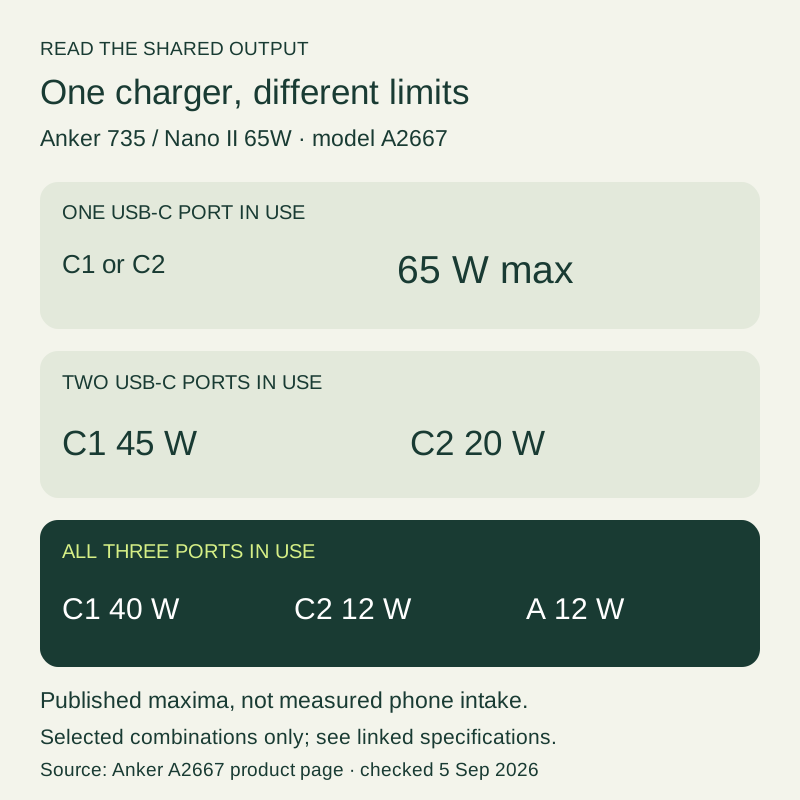
Figure 2. Manufacturer-published maxima for A2667, checked September 5, 2026. These are available outputs, not measured phone intake. Other port combinations are described in the linked specification.
The example shows why a familiar headline rating is insufficient. The configuration in the second or third row may be the one you actually use each evening. The phone will not necessarily obtain its preferred charging mode simply because the adapter’s single-port number is large.
Use this example as a reading exercise, not as a product ranking. It does not establish whether that charger is the best current purchase for your market. Check the exact model, regional version, required modes, and available documentation for any product you shortlist.
Will a GaN charger feel cooler?
A semiconductor efficiency advantage and a cooler outer surface are different claims. Surface temperature needs to be assessed for the finished adapter under stated load and ambient conditions. The GaN label is not a surface-temperature measurement.
For example, TI publishes a 65 W dual-port GaN reference design with specific electrical and power-density characteristics. It is an engineering reference implementation, not a test report for an arbitrary retail adapter carrying a GaN logo.
When reading a review, ask whether the reviewer identifies the model, connected load, room conditions, and measurement method. A statement that a charger “felt cooler” without a comparable load does not let you quantify the difference. Likewise, a close-up image without a scale does not establish how much smaller it is.
Do not perform a stress test by covering the adapter or changing its intended ventilation. Follow the maker’s usage instructions. If your phone shows a thermal warning, address the warning rather than assuming that a GaN adapter should prevent it. The slow-charging troubleshooting guide explains the phone-side checks.
Compare the whole travel kit
For travel, put the charger beside the cables and any required plug adapter before judging the improvement. A compact power supply may be convenient, but the complete kit determines what goes in the bag.
Check the plug direction, socket spacing, and cable exit. An adapter that protrudes awkwardly from the outlet you normally use may be less convenient than a slightly larger design with a different shape. These are practical fit questions that a maximum wattage cannot answer.
Read the input rating and the regional plug specification for the actual model. Do not assume that a travel plug adapter changes electrical compatibility. If you travel between regions, confirm those requirements from the relevant product instructions.
Then decide whether charging several devices at once is essential. If you normally charge them at different times, a simpler arrangement might already meet your needs. If you depend on simultaneous charging, test that arrangement before departure rather than discovering an inconvenient power split at the airport.
Decide whether replacing your existing charger is worthwhile
Write one sentence describing the upgrade you need. For example: “I want to charge my phone and work laptop from one outlet during a short stop.” That sentence immediately makes shared output, cable suitability, and plug fit relevant.
For a single phone on a bedside table, a reliable existing adapter may already do everything required. A GaN replacement could still offer a useful size or port improvement, but do not predict a speed gain without matching the phone’s charging mode.
For a laptop and phone, compare the combined configuration. For a tablet, phone, and earbuds, inspect what happens when the third port is occupied. For a phone using a manufacturer-specific charging mode, verify whether the third-party adapter supports that mode or only a fallback.
Our laptop USB-C charger guide can help you assess equipment you already own. Reusing a compatible adapter may solve the immediate problem while you decide whether a new multi-port design offers a meaningful improvement.
Check a new charger during the return period
The following is an editorial acceptance check for everyday use, not a compliance test. It helps you establish whether the product meets the need you wrote down.
- Confirm that the model received matches the listing and the manual you evaluated.
- Read the output label and identify the ports before connecting the full set of devices.
- Try the phone by itself with a documented compatible cable. Record any charging message or warning.
- Repeat with the other devices connected in your intended arrangement.
- Observe whether the charging behavior remains useful during normal phone and laptop use.
- Check physical fit at the outlets and desk locations you actually use.
- Keep the product details and your observations together in case you need support.
Compare sessions at similar battery levels and with similar device activity. A phone nearly at full charge is not a useful speed comparison against one that started much lower. Battery-percentage changes can help you judge convenience, but they are not an exact measurement of adapter output.
If the arrangement fails your requirement, describe the mismatch precisely. “PPS not documented on the port combination I need” or “the intended devices do not charge reliably together” is more actionable than “GaN does not work.” Use the accessory compatibility checklist to organize any additional equipment.
Frequently asked questions
Is GaN the same thing as PPS?
No. They describe different parts of the product. GaN concerns power-conversion hardware, while PPS is a charging capability. Verify each claim separately in the manufacturer’s specifications.
Does a newer GaN generation guarantee faster Android charging?
No phone-charging result follows from a generation label alone. Compare actual output modes, port allocation, size, and supported device requirements. Marketing names are not a substitute for those specifications.
Can I use the same GaN adapter for a laptop and phone?
Potentially, if both devices’ requirements and the shared output are supported. Check the intended simultaneous arrangement, not only whether each device charges successfully when connected alone.
Do I need to replace every cable when buying a GaN charger?
No. Check each existing cable against the relevant power and current requirements. A cable does not become unsuitable solely because the new adapter uses GaN internally. Additional data or display uses must be checked separately.
Is a small GaN charger automatically safer?
The material label does not certify the finished product’s safety. Evaluate the exact product, seller, documentation, and applicable approvals. Do not infer a verified certification from the brand of semiconductor used inside.
Sources and verification
- Texas Instruments: GaN technology supports the material, switching, and power-density explanation.
- Infineon: How a GaN charger works describes GaN’s role in adapter conversion circuitry.
- USB-IF: USB Power Delivery supports the distinction between available output and negotiated charging.
- Anker: A2667 specifications supports the port-allocation example.
- Texas Instruments: PMP41117 reference design provides a named engineering implementation, not a retail charger endorsement.
Checked September 5, 2026. AI-assisted editorial explanation and original diagrams; no hands-on review or safety certification is claimed. Product makers’ performance claims remain attributed to them.
Revision: added semiconductor sources, protocol distinctions, a documented port-sharing example, travel-kit considerations, acceptance checks, and explanatory illustrations.
Related articles
Can You Use a Laptop USB-C Charger With an Android Phone?
Check USB PD, PPS, cable ratings, and shared-port power before using a laptop charger with an Android phone. Includes label examples and a comparison procedure.
Read article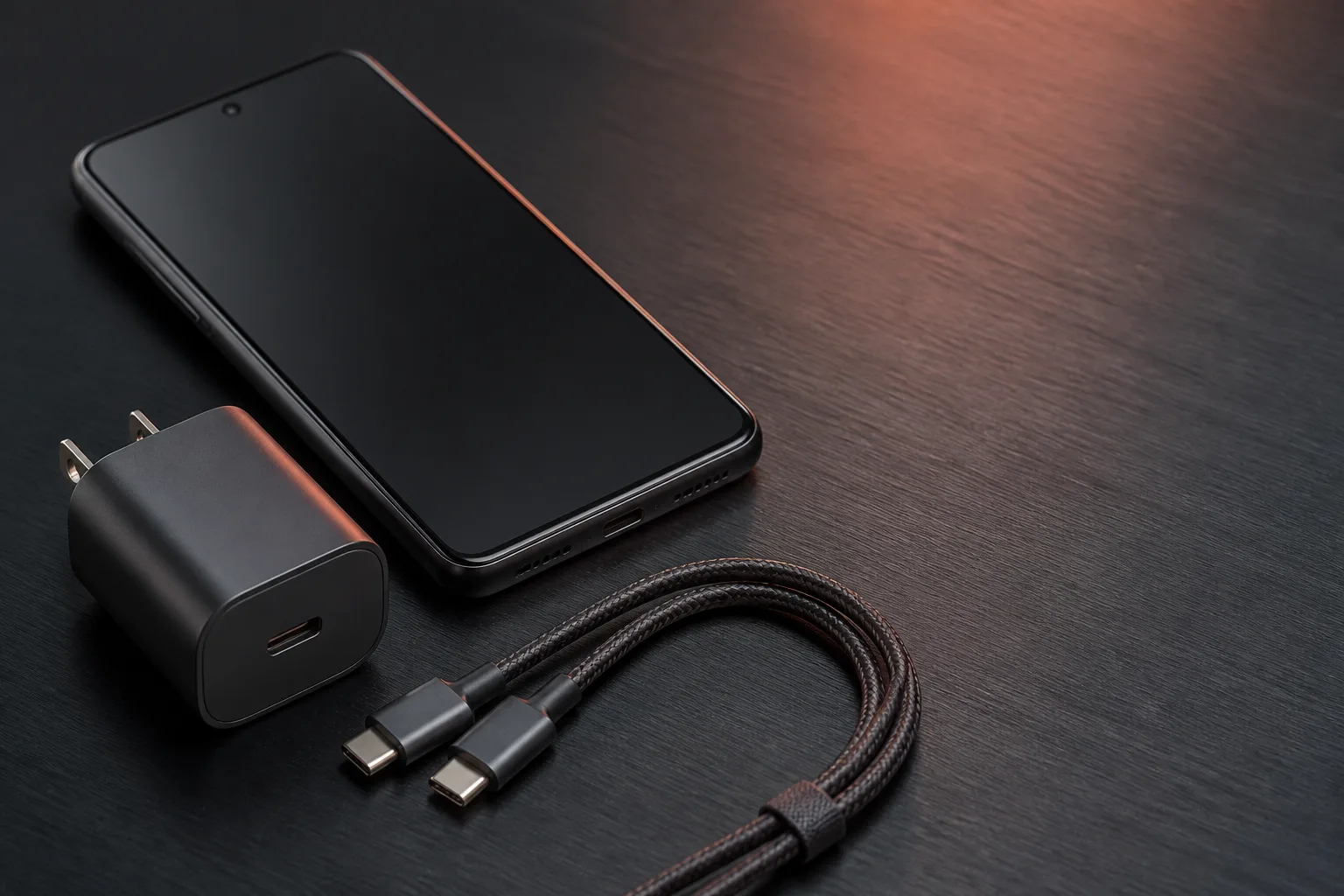
USB PD vs. PPS: The Android Charging Difference That Matters
USB Power Delivery and Programmable Power Supply are related standards. Here is how they affect compatible Android phones and chargers.
Read article
Why Is My Android Phone Charging Slowly? A Practical Check Order
Separate slow charging from battery protection, heat, cable faults, and wireless alignment problems. Follow a controlled comparison before replacing accessories.
Read article